
Using Web Search
With Web Search, your assistant can look up current information directly on your website during a conversation.
With Web Search, your assistant accesses your website during a call. This is especially helpful for information that changes regularly and therefore should not be stored permanently in the knowledge base.
A good example is real estate listings. New properties, availability and list prices can be searched directly on your website.
Add Web Search
Open your assistant and add the Web Search skill.
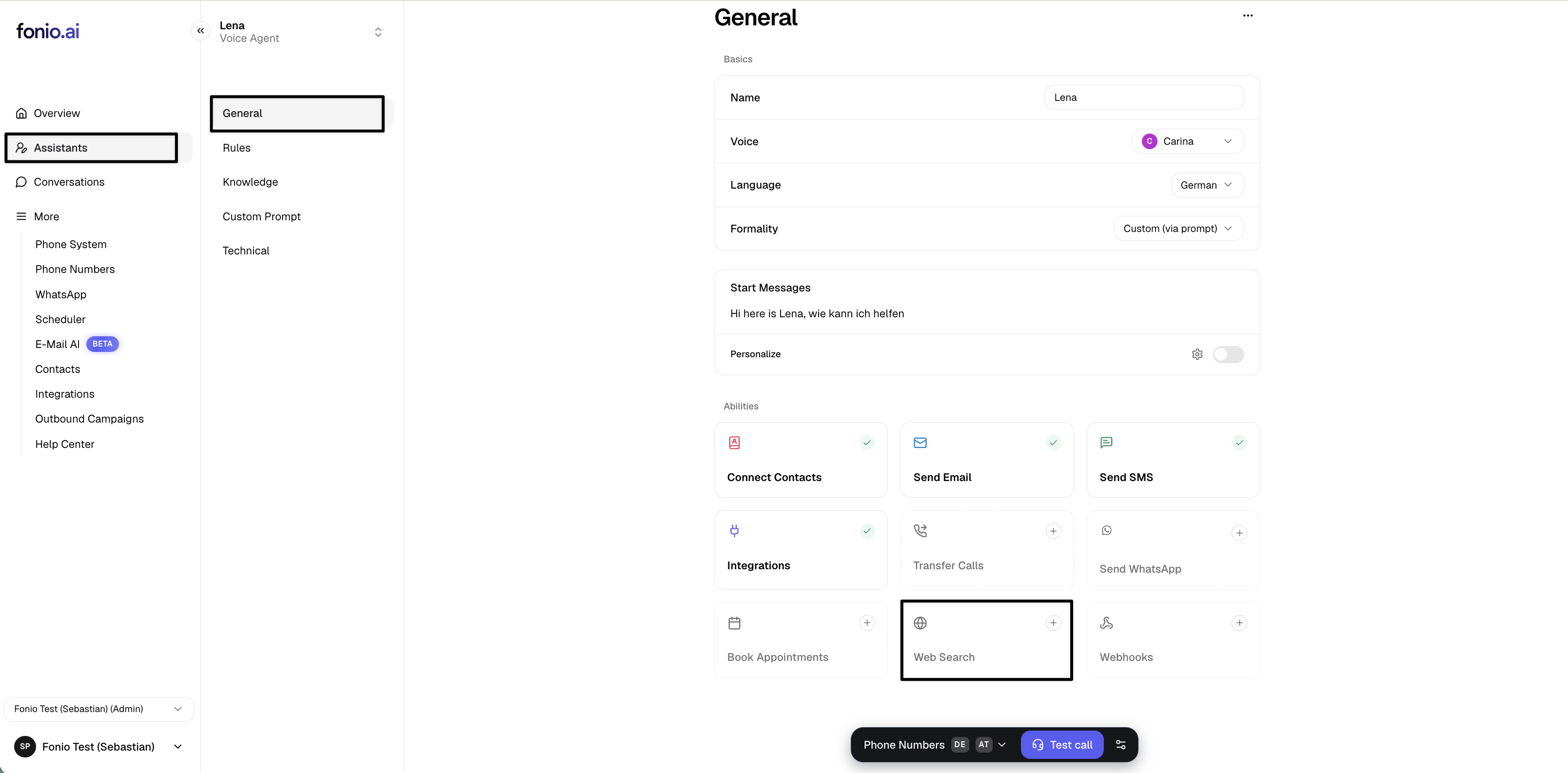
Set availability
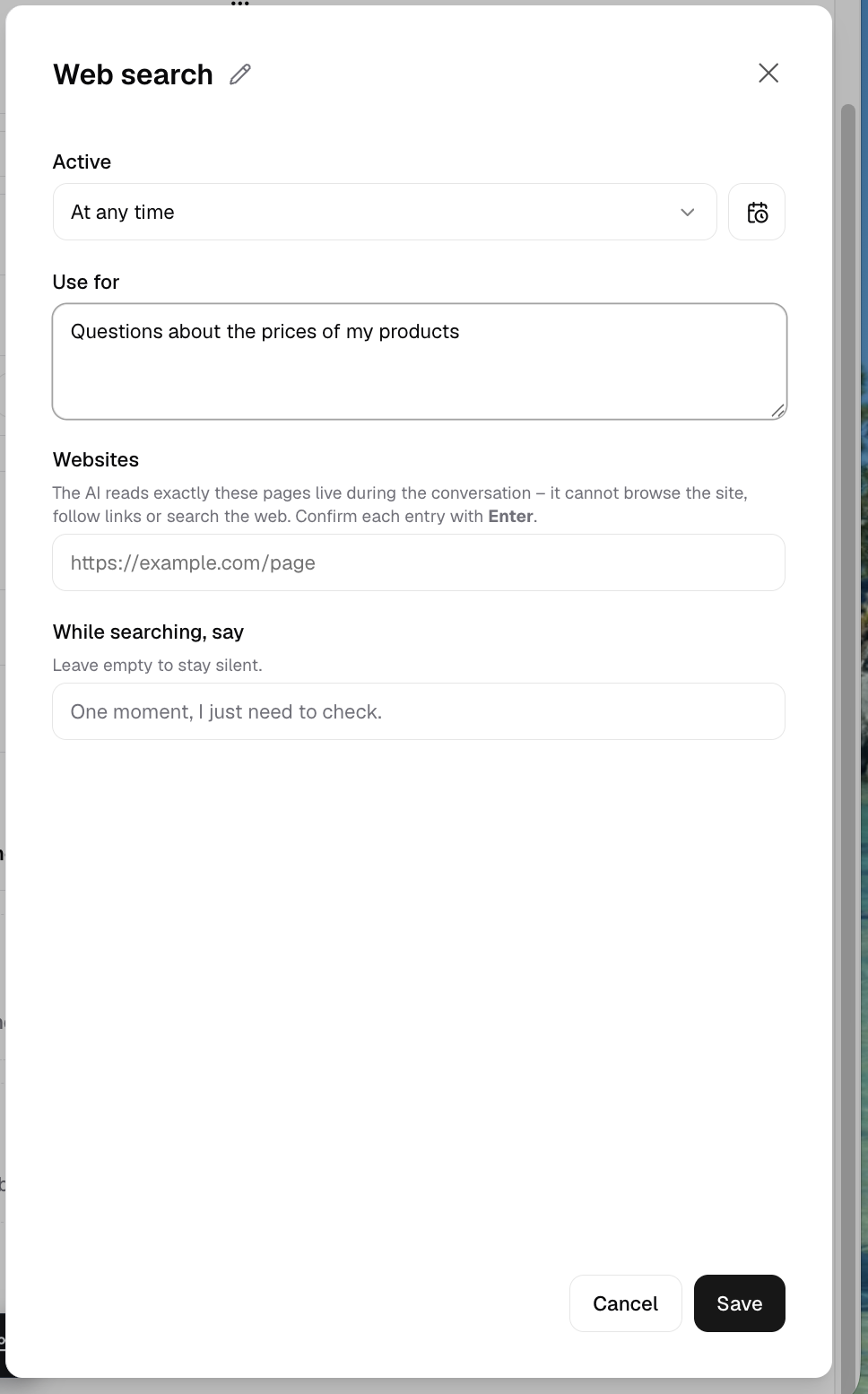
Define when your assistant is allowed to use web search:
- Always
- During opening hours
- Outside opening hours
In most cases we recommend Always. That way your assistant can find current information even outside your opening hours.
For example, if someone calls at midnight and asks about a property, your assistant can still search your website for it.
Describe the usage
Describe in one complete sentence what your assistant should use web search for.
Example:
Use web search when a caller asks about current property listings, availability or list prices.
The more precisely you describe the use case, the better your assistant recognizes when to use the skill.
Add your pages
Enter the exact pages where the information is located. Your assistant reads exactly these pages live during the conversation. It cannot browse the rest of your website, follow links or search the web.
You can add several pages. Press Enter after each address to confirm it.
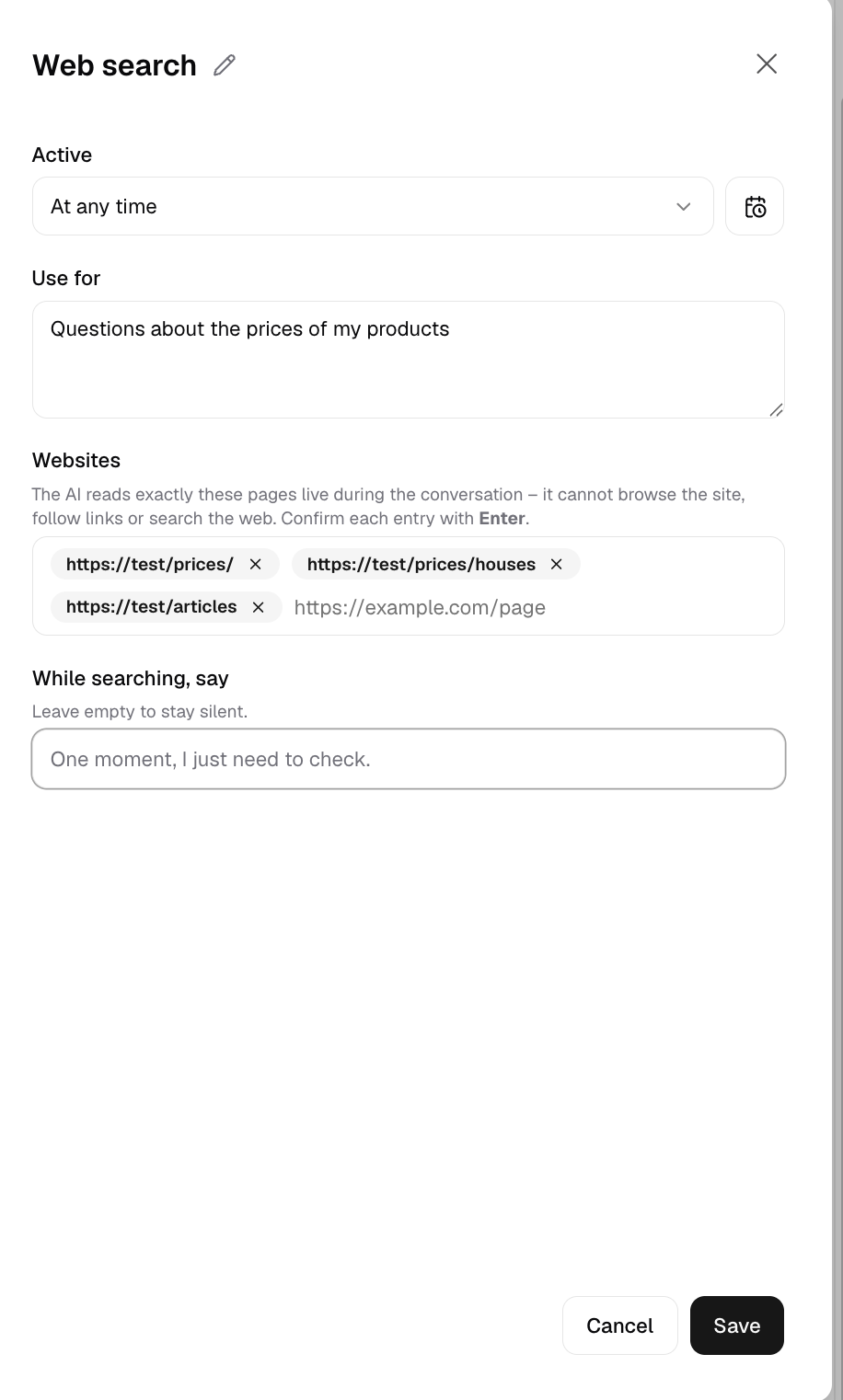
Not enough (only this one page is read):
https://example-realestate.com
Better:
https://example-realestate.com/properties
https://example-realestate.com/properties/houses
https://example-realestate.com/prices
That way your assistant knows right away where to look and finds the right information faster.
Tip
Add every page that contains information your assistant needs. A page that is not in the list cannot be read.
Set the execution sentence
While your assistant searches the website, it can give the caller a short notice.
Example:
Please hold on a moment, I'll look that up for you.
The sentence bridges the short wait and shows the caller that your assistant is looking for the right information.
When is Web Search useful?
Web Search is especially suited for content that changes regularly:
- Real estate listings and list prices
- Current availability
- New products or services
- Events and dates
- Current information on your website
Information that rarely changes can still be stored directly in your knowledge base.