
GoTable
Your assistant books, moves and cancels tables straight in GoTable and knows your regulars by their number.
Once GoTable is connected, your assistant looks straight into your reservation book. It tells callers which times are still free and books the table they pick, just like someone at the host stand.
It knows your regulars, too. Your assistant recognises them by their phone number, knows their upcoming reservations and can move or cancel them for them.
Get your key from GoTable
The GoTable API is part of GoTable Plus.
In GoTable, open Management at the top, then Integrations › API key on the left. Click Generate an API Key and copy the key it shows you.
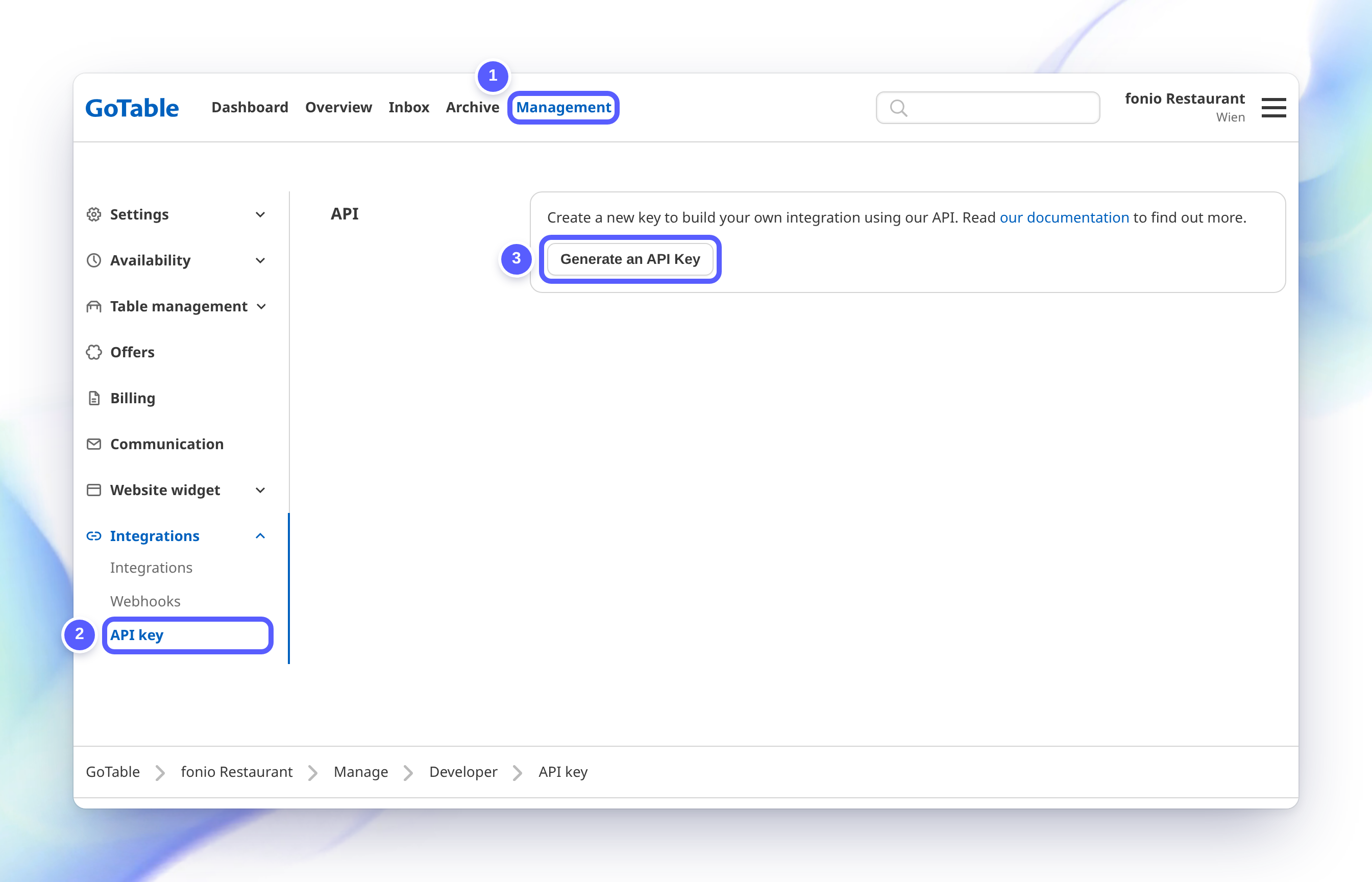
Do you run several restaurants in one GoTable account? Then you can use an account key instead. Open your account settings from the menu at the top right, enter a short description under API access, for example "fonio", and click Create API key. With an account key, you pick the right restaurant in step 3.
Keep the key to yourself, like a password. Whoever has it can see and change your reservations.
Connect GoTable to fonio
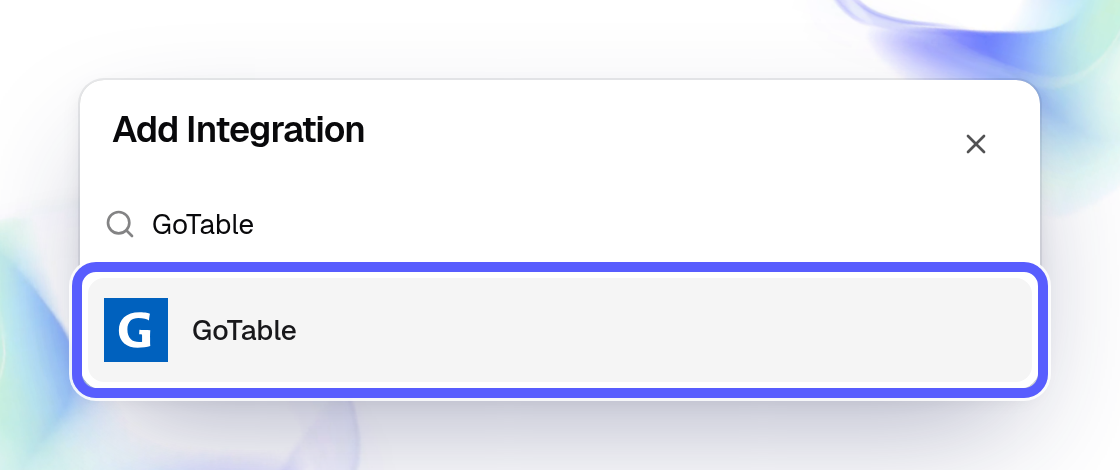
In your assistant, open Integrations, search for GoTable and pick it.
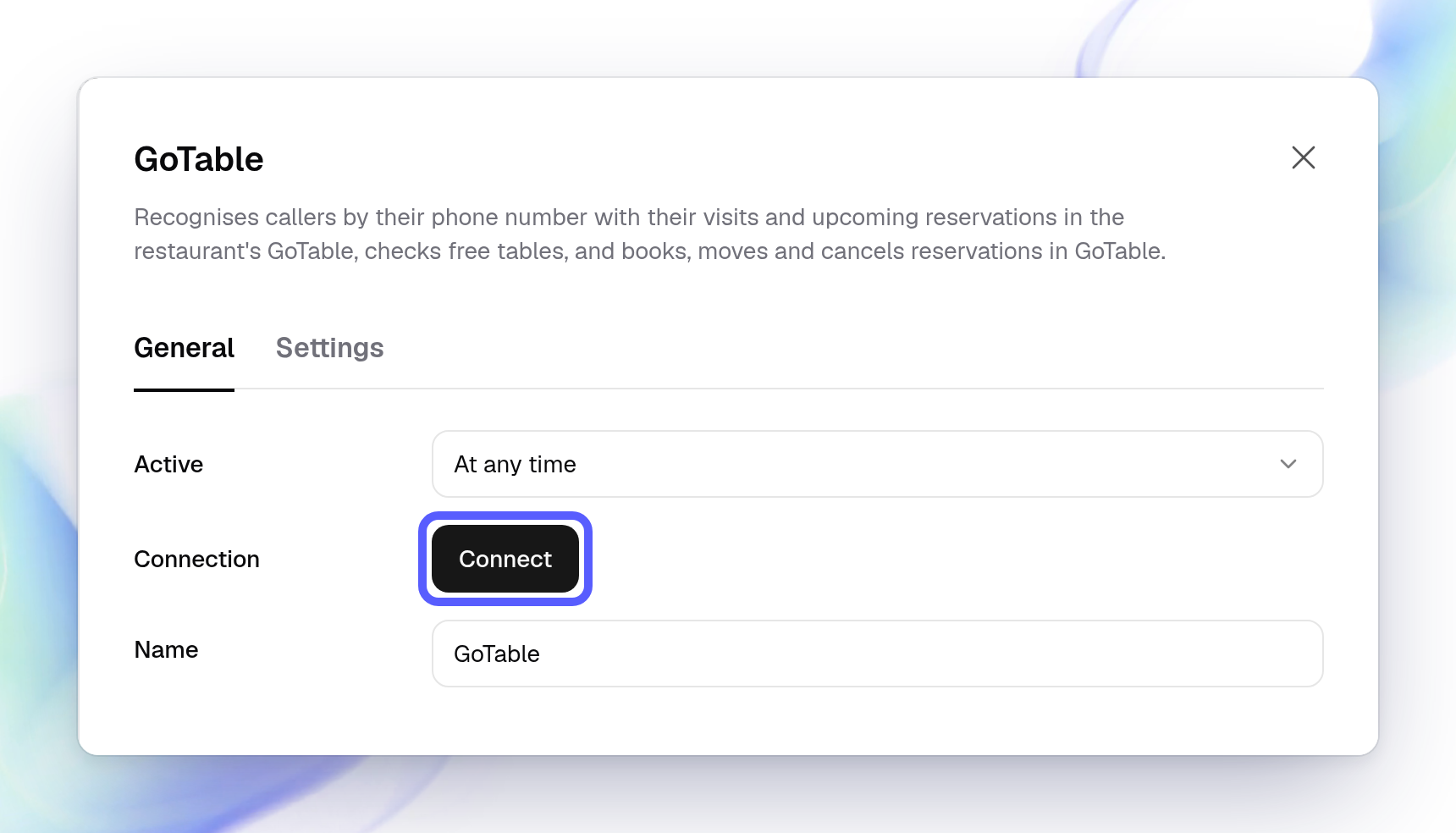
Click Connect next to Connection.
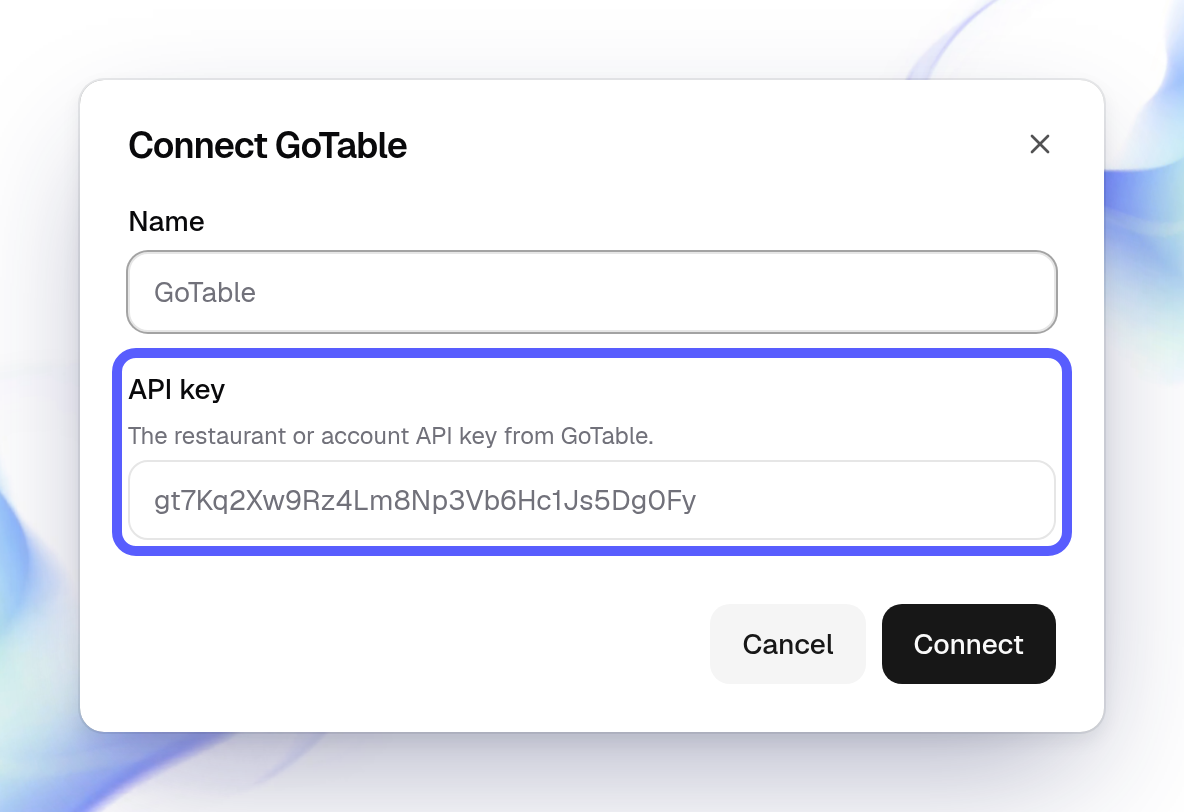
A small window opens with two fields.
-
Name
A name for this connection, so you can tell it apart later. The default is GoTable.
-
API key
The restaurant or account key from step 1, pasted exactly as GoTable shows it. It looks like this:
gt7Kq2Xw9Rz4Lm8Np3Vb6Hc1Js5Dg0Fy
Click Connect. We check the key with GoTable right away and tell you if something's wrong.
Choose what your assistant may do
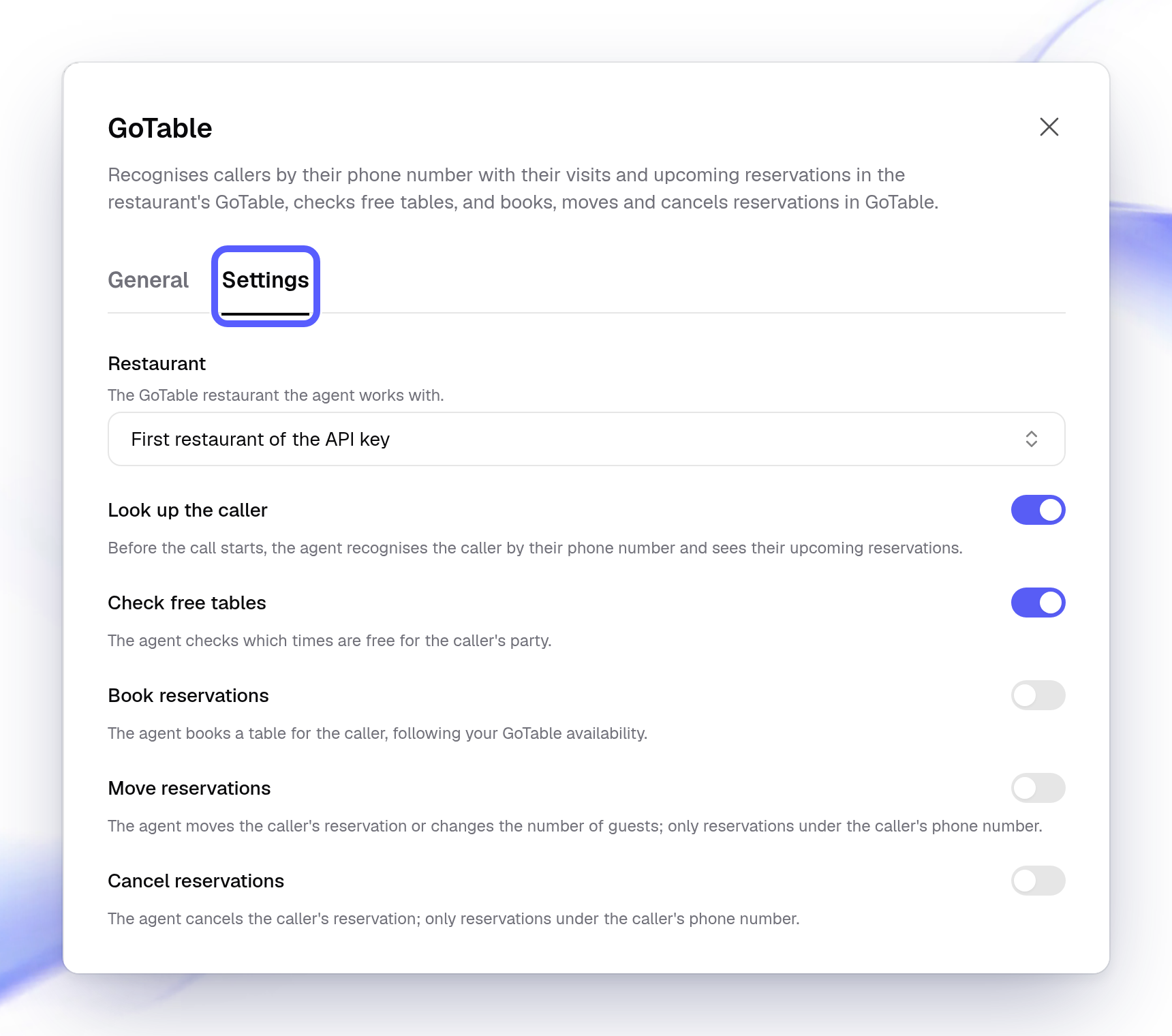
Open the Settings tab. You can change all of this at any time. Click Save when you're done.
-
Restaurant
The restaurant your assistant books for. The default is First restaurant of the API key, which is all you need with a restaurant key. With an account key for several restaurants, pick the right one here.
-
Look up the caller
On by default. Before your assistant picks up, it looks for the caller's number among your GoTable guests and sees their upcoming reservations.
-
Check free tables
On by default. Your assistant checks which times are free for the caller's party before it offers one. Switched off, it never promises a table and says honestly that it can't check.
-
Book reservations
Off by default. Switched on, your assistant books tables for your callers, following your availability in GoTable.
-
Move reservations
Off by default. Switched on, your assistant can move a caller's reservation to another day or time, or change the number of guests.
-
Cancel reservations
Off by default. Switched on, your assistant can cancel a caller's reservation.
Moving and cancelling only ever work for reservations made under the caller's own phone number.
Before the call
When the phone rings, your assistant already knows which restaurant it's speaking for.
It also looks for the caller's number in your GoTable guests. For a regular, it knows their name, how often they've been with you and when they last came. It also sees their upcoming reservations under that number.
So when Marco calls about "our table on Friday", your assistant knows which reservation he means. He doesn't need a reservation number.
Callers it doesn't find are simply treated as new guests. Your assistant asks for their name when it books.
Stays between you and your assistant
Your assistant knows the tags you gave a guest in GoTable, but never reads them out. Reservation numbers stay internal, too.
During the call
When a caller asks for a table, your assistant checks the day and the number of guests first. It only offers times that are really free.
If the time they want is taken, your assistant offers the closest free times that day. If the whole day is full, it suggests other days in the following week.
Before booking, your assistant repeats the date, time and number of guests and books only once the caller agrees. It asks for a name, unless it already knows the caller.
If the caller likes, it also takes an e-mail address for the confirmation and a note for you, such as an allergy or a birthday. Names and e-mail addresses are spelled back letter by letter until they're right.
The reservation appears in GoTable under the caller's name and phone number, with their note. Do you confirm requests yourself in GoTable? Then your assistant tells the caller it's a request you still have to confirm.
Callers can move or cancel their own reservations the same way. Your assistant checks the new time first and always confirms which reservation they mean before it changes or cancels anything.
Good to know
- Only their own reservations: your assistant finds and changes only reservations made under the number the caller is calling from. For one made under another number or name, it says honestly that it can't help on this call.
- Withheld numbers: your assistant can't recognise the caller or find their reservations. It can still book a new table, asking for their name.
- Large groups: if your restaurant doesn't take that many guests in one booking, your assistant asks the caller to contact you directly.
- Offers and deposits: special offers or menus that need a deposit can't be booked over the phone. Your assistant says so honestly. To pass such callers on to your team, set up call transfer.
- The following week: when a day is full, your assistant looks for free days up to a week ahead.
- Local time: all dates and times are your restaurant's local time in GoTable.
If something isn't working
| Message | What to check |
|---|---|
| GoTable rejected this API key. Check the key. | Copy the key again from GoTable and paste it without spaces before or after it. |
| This GoTable key has no restaurant. Use a restaurant or account API key. | Use the key from your restaurant's API key page or from your account's API access. |
| GoTable could not be reached with this key. Try again later. | Wait a few minutes and click Connect again. Does your plan include GoTable Plus? |
| Your assistant books in the wrong restaurant | Pick the right one under Restaurant in the Settings tab. |
| Your assistant says it can't book, move or cancel | Is the matching switch on in the Settings tab, and did you click Save? |
| A regular isn't recognised | Is Look up the caller on? Is their phone number saved with the guest in GoTable, and are they calling from that number? |
| Reservations stay unconfirmed | Your GoTable takes new reservations as requests. Confirm them in GoTable. |
Need help?
Just write us at support@fonio.ai, we're happy to help.