
IdoBooking
Your assistant knows your properties, checks free dates and prices, takes booking requests and helps your guests with their booking.
Once IdoBooking is connected, your assistant knows your properties, your free dates and your prices. It answers questions, takes booking requests and helps guests with their booking, like a colleague at the front desk with the booking calendar open.
And when a guest calls the evening before arrival, your assistant gives them the door code. Only to the right guest, and only around their stay.
Get your login from IdoBooking
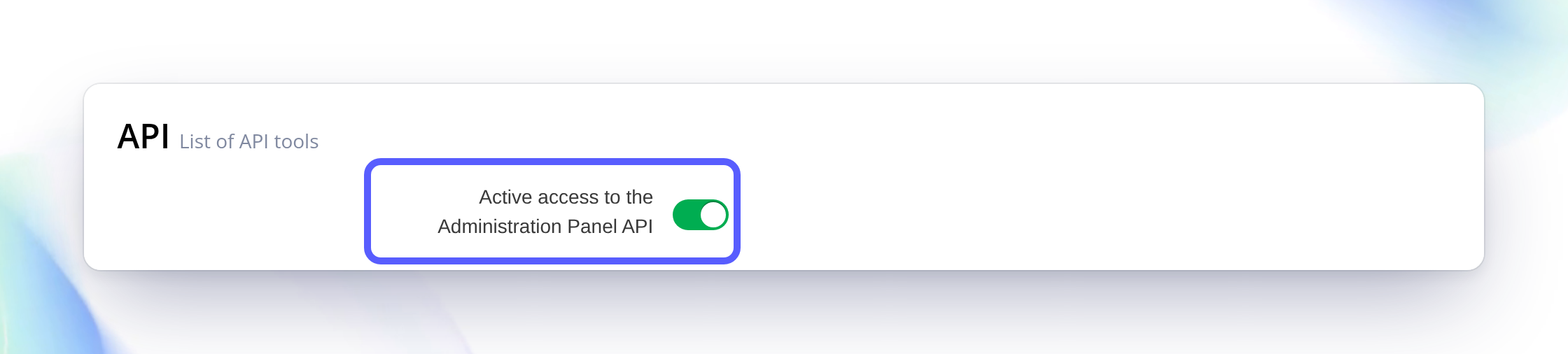
Sign in to your IdoBooking panel. First open Settings → API and switch on Active access to the Administration Panel API.
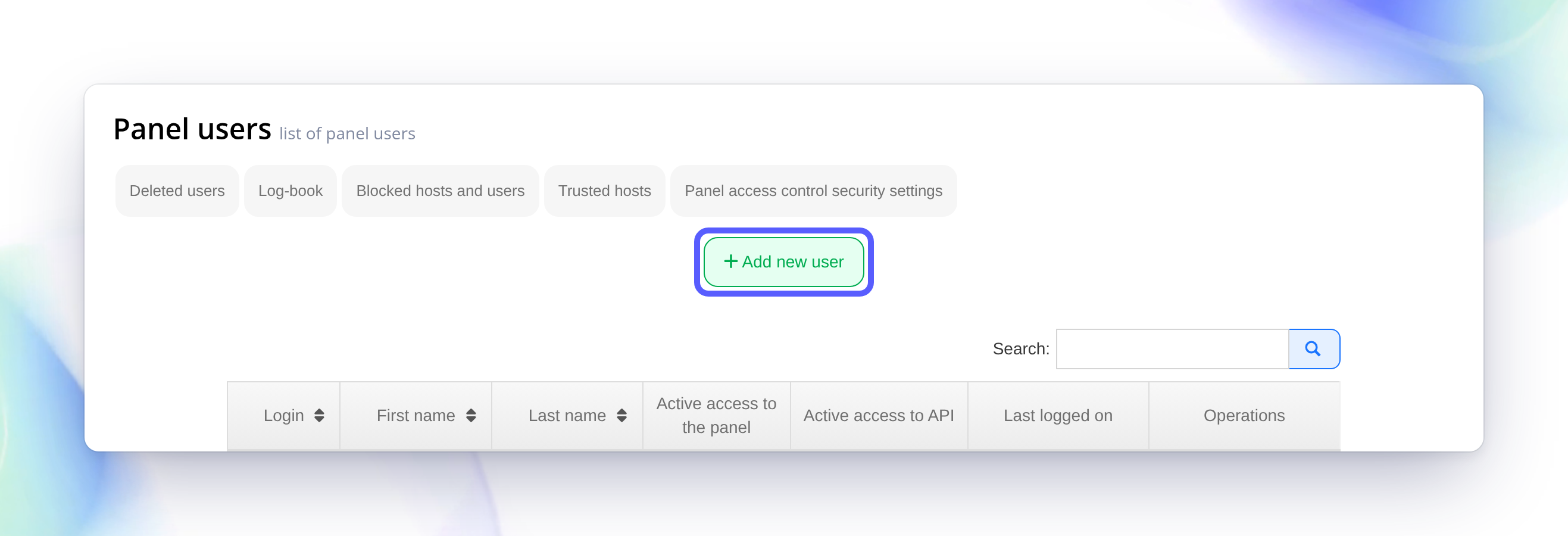
Then open Settings → Users and click Add new user.
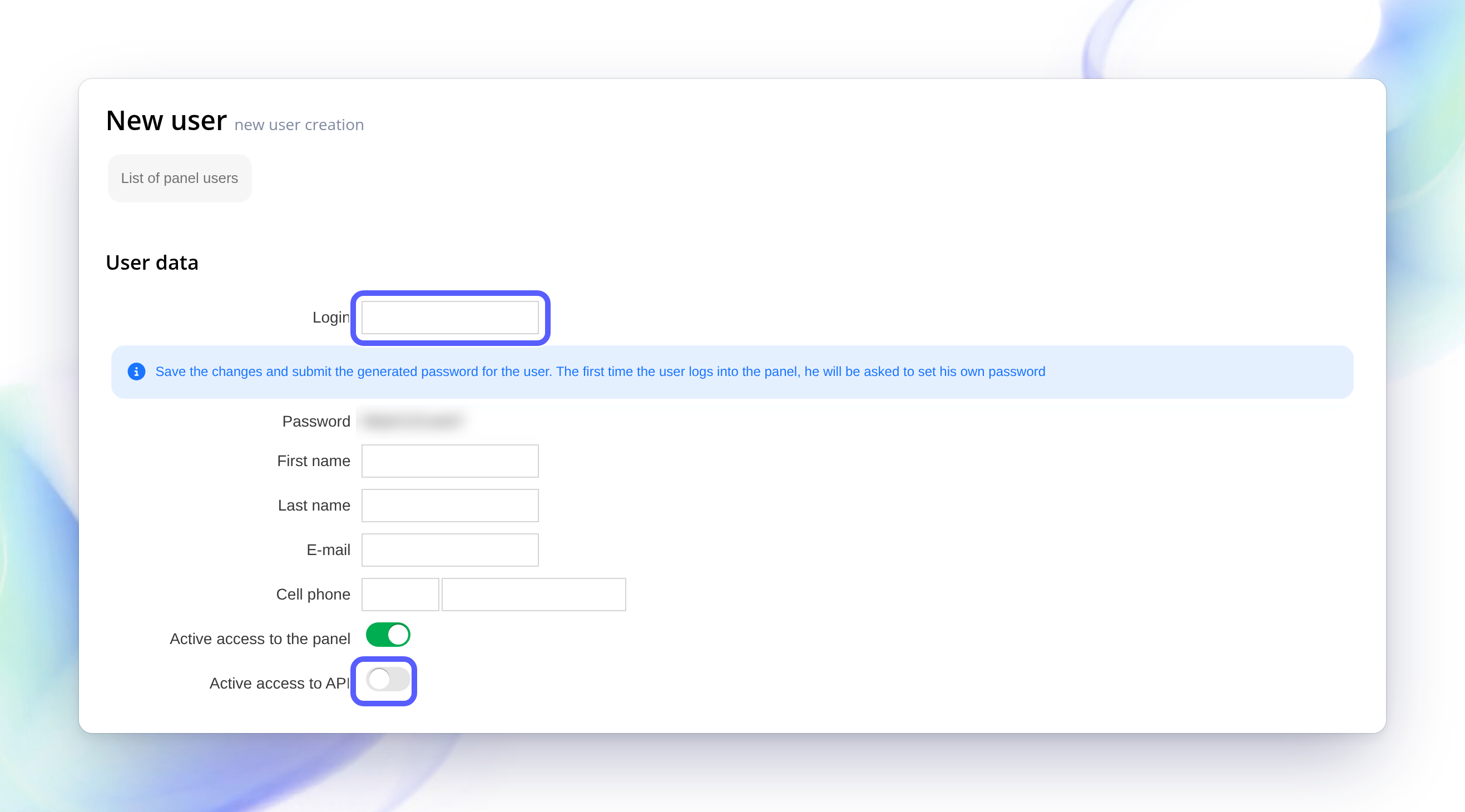
Create a user just for fonio, for example with the login fonioagent, and switch on Active access to API.
IdoBooking shows a generated password for the new user. Note it down together with the login, then click Save changes.
Your assistant works as this user. It reads your properties, free dates, prices and bookings, creates booking requests, cancels bookings and adds call notes to guests and bookings.
A separate user keeps your own login out of it, and you can switch it off at any time.
If you can't open these settings, ask the person who manages your IdoBooking account.
Connect IdoBooking to fonio
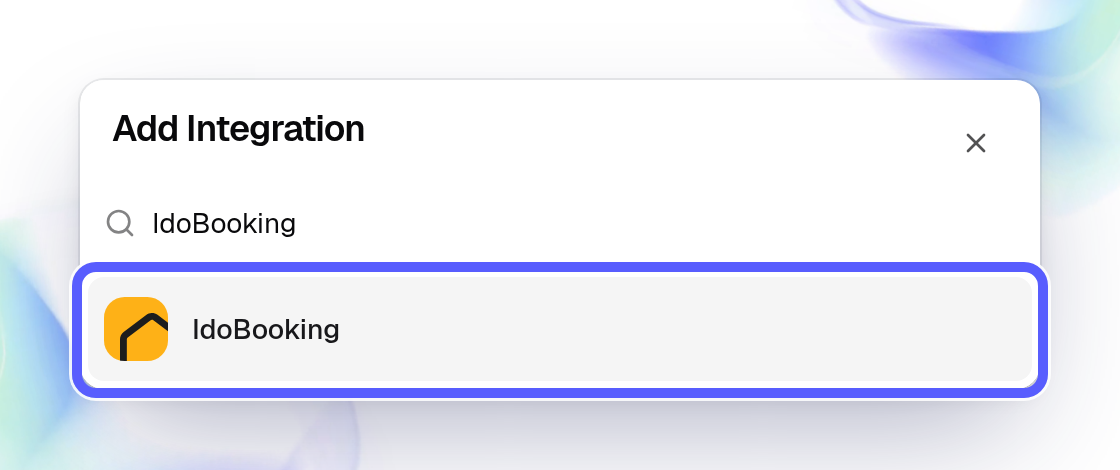
In your assistant, open Integrations, search for IdoBooking and add it.
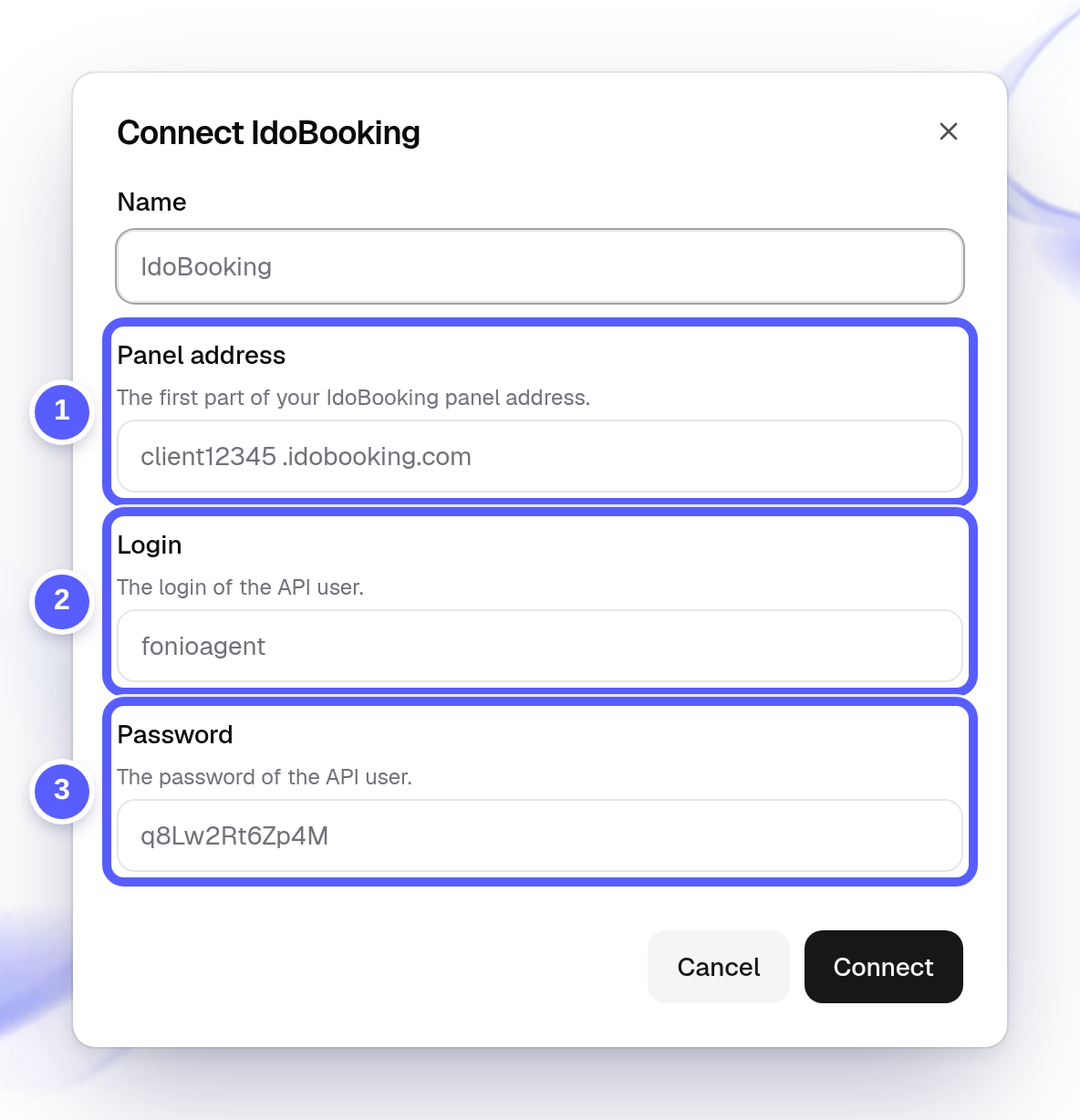
Then connect it and fill in the form Connect IdoBooking.
-
Panel address
The first part of the address of your IdoBooking panel. If your panel is at client12345.idobooking.com, enter:
client12345 -
Login
The login of the user from the first step.
-
Password
The password of that user.
When you connect, we check right away whether IdoBooking accepts the two. If you later change the password in IdoBooking, update it here too.
Choose what your assistant may do
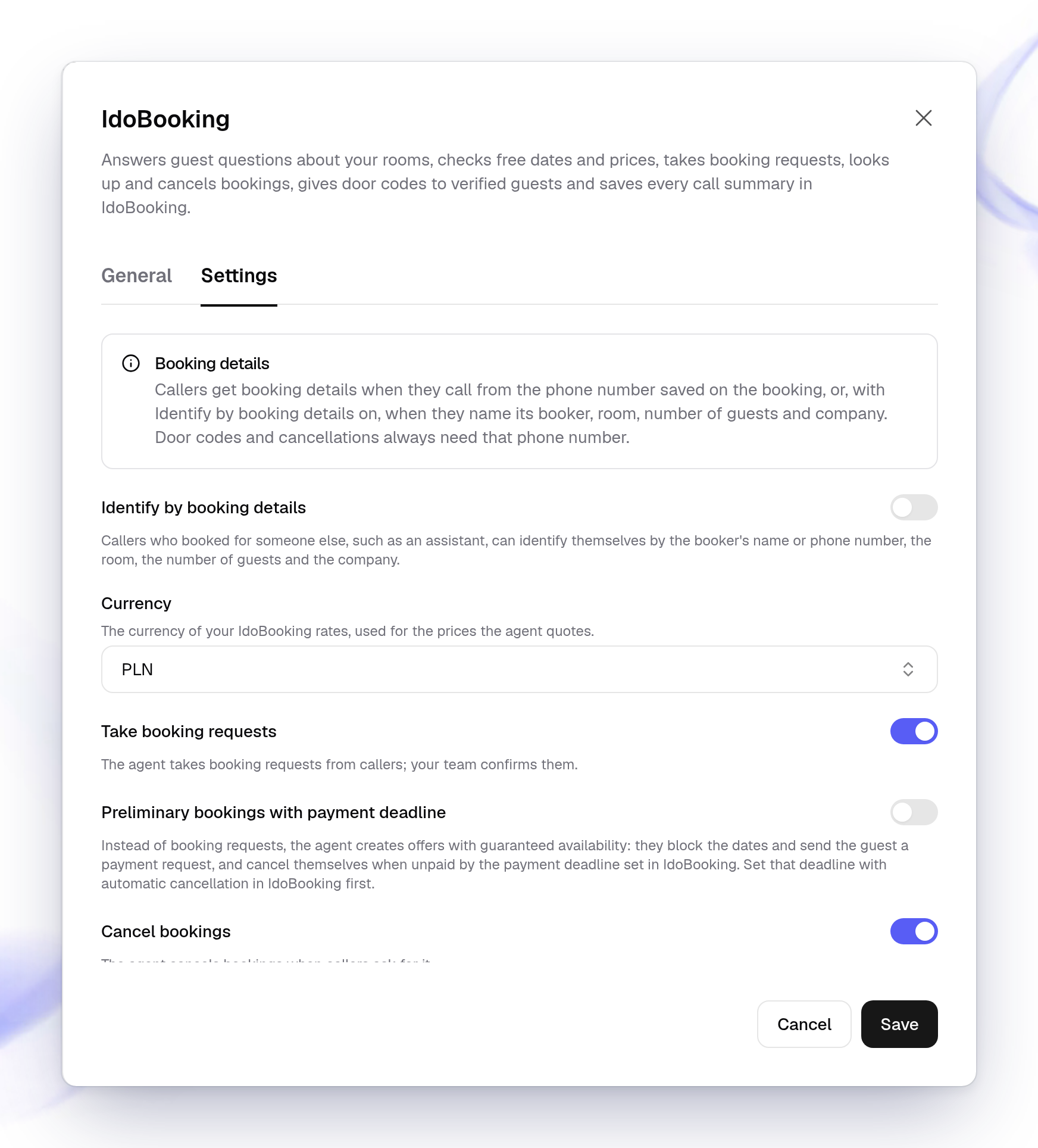
Under Settings you choose what your assistant may do. You can change all of this at any time.
-
Booking details
Not a switch, just a reminder: callers only hear the details of a booking when they call from the phone number saved on it, or when they identify themselves by the booking details below.
-
Identify by booking details
Off by default. Callers who booked for someone else, like an assistant booking for their boss, can identify themselves by the booker's name or phone number, the room, the number of guests and, for a company booking, the company name. They then hear the details of the booking. Door codes and cancellations still need the phone number saved on the booking.
-
Currency
The currency of your IdoBooking rates. Your assistant quotes every price in it. The default is PLN.
-
Take booking requests
On by default. Your assistant takes booking requests from callers, and your team confirms them in IdoBooking. Switched off, it still checks free dates and prices, and tells callers who want to book that someone from your team will get back to them.
-
Preliminary bookings with payment deadline
Off by default, and only there while Take booking requests is on. Instead of a request, your assistant makes a preliminary booking: it holds the property for the guest, and IdoBooking sends them a payment request. If the guest doesn't pay by the deadline, IdoBooking cancels the booking by itself. First set that payment deadline with automatic cancellation in IdoBooking.
-
Cancel bookings
On by default. Your assistant cancels a booking when the guest asks for it. Switched off, it tells the guest that someone from your team will get back to them.
-
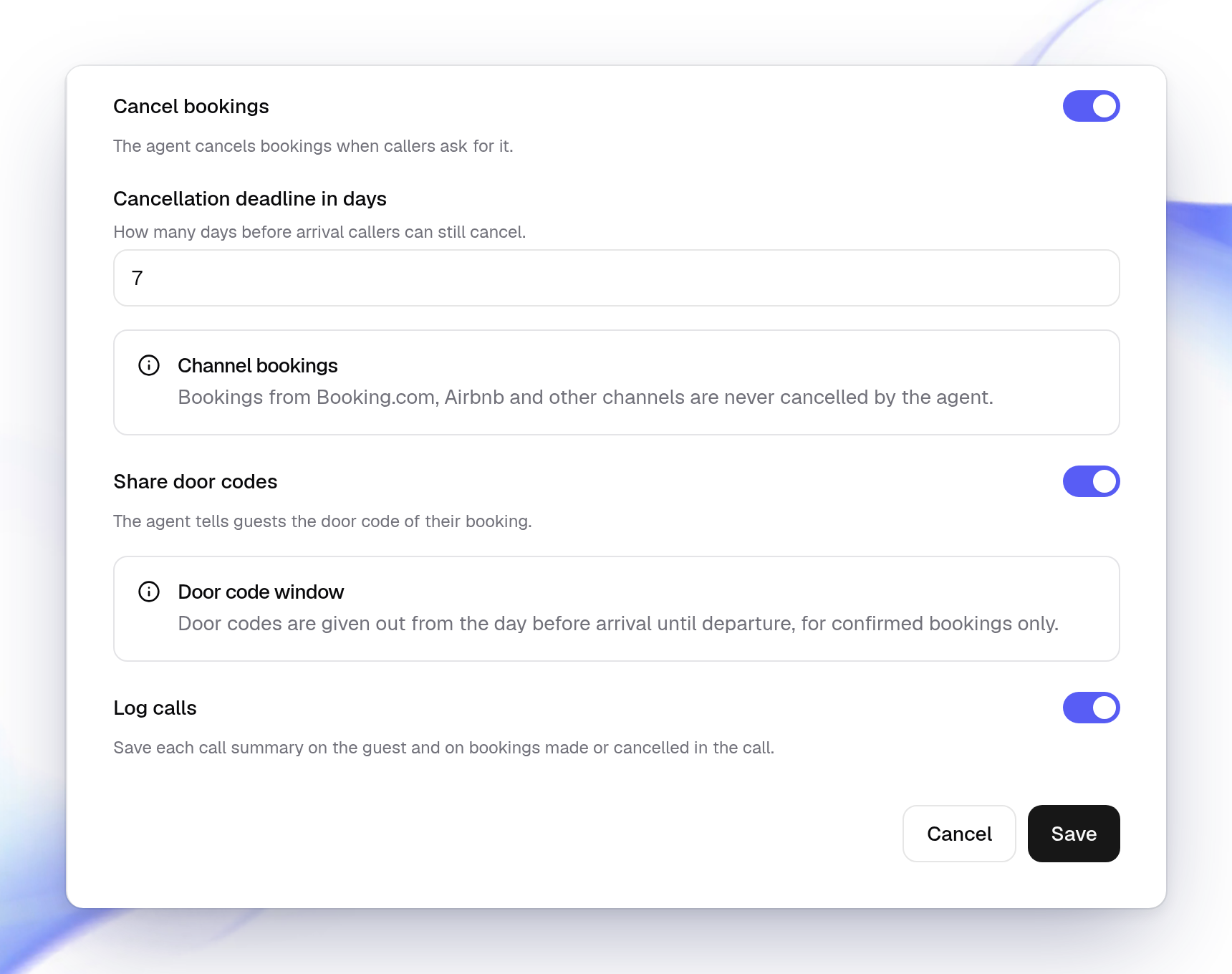
Cancellation deadline in days
How many days before arrival guests can still cancel by phone. The default is 7. Closer to arrival, your assistant leaves the cancellation to your team.
Below it, Channel bookings reminds you that your assistant never cancels bookings from Booking.com, Airbnb or other channels.
-
Share door codes
On by default. Your assistant tells guests the door code of their booking. Door code window sums up when: from the day before arrival until departure, and only for confirmed bookings. Switched off, your assistant tells guests that someone from your team will get back to them.
-
Log calls
On by default. After each call, a short note is saved on the guest and on every booking made or cancelled in the call.
Before the call
When the phone rings, your assistant loads your properties from IdoBooking: their names, how many guests fit, bedrooms and beds, the address, the times for check-in, check-out and the reception, directions and the extras guests can book.
So when someone asks whether you have a place for six, your assistant can answer straight away.
If IdoBooking can't be reached, your assistant doesn't guess. Callers who ask about free dates, a booking or your properties hear that someone from your team will get back to them.
Stays between you and your assistant
Your assistant never reads out internal IdoBooking numbers and never makes up a price. It only talks about a booking when the caller is calling from the phone number saved on it, or, if you allow it, gives the right booking details.
During the call
Your assistant answers questions about your properties: how big a place is, which beds and amenities it has, which extras can be booked, where it is and how to get there, and the times for check-in and the reception. It takes all of this from your descriptions in IdoBooking.
When a caller asks for dates, your assistant asks for arrival, departure and how many adults and children are coming. It only offers properties that are free every night, fit everyone and have a price for the whole stay. That price is calculated by IdoBooking, without extras such as breakfast.
If the caller wants to book, your assistant asks for their first name, last name and e-mail address. It spells each one back letter by letter until the caller confirms it, then repeats property, dates and guests once more. Only after a clear yes does it create the booking in IdoBooking.
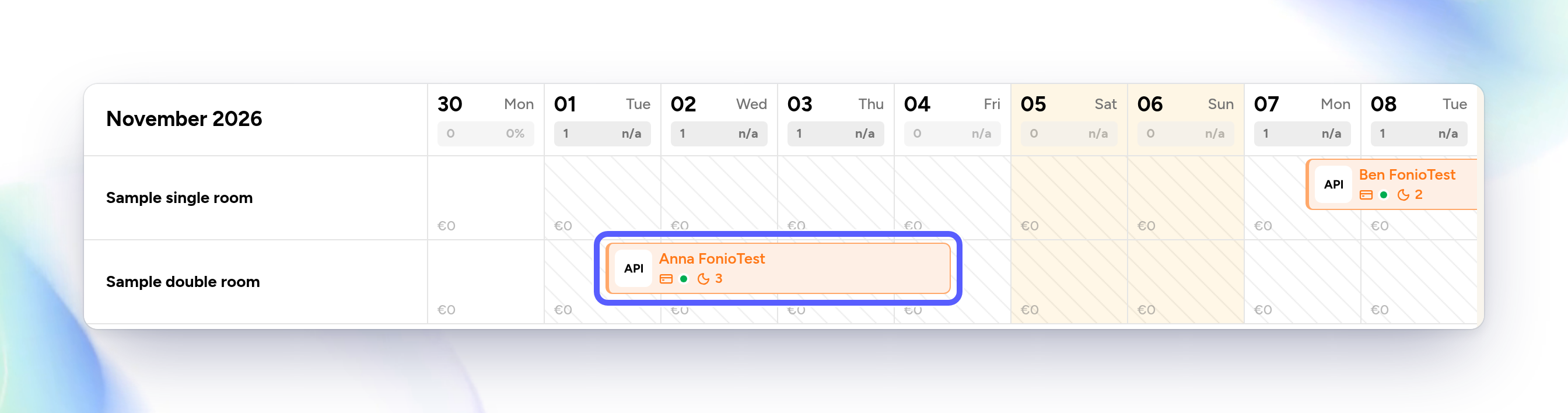
The caller gets the booking number and the price, and IdoBooking sends them a message about it. Your assistant always says it's a request your team still confirms, never a confirmed booking. The request shows up in your calendar like any other.
With Preliminary bookings with payment deadline switched on, your assistant tells the caller that the property is held for them and that the booking becomes final once they pay by the deadline in the payment request. It never names a deadline itself.
Guests who already booked give their booking number. Your assistant finds the booking when they call from the phone number saved on it. Then it tells them the status, arrival and departure times, their room and how much is still to pay.
With Identify by booking details switched on, a caller who booked for someone else can name the booker, the room, the number of guests and the company instead. Your assistant then shares the booking details, and leaves door codes and cancellations to your team.
So when Anna calls the evening before arrival and asks for the door code, your assistant checks her booking number, sees she's calling from her own number, and reads the code to her digit by digit.
Door codes are only shared for confirmed bookings, from the day before arrival until the day of departure. If a guest calls earlier, your assistant tells them from when they'll get it.
Your assistant cancels bookings that were made directly with you, up to your deadline. It first tells the guest that a cancellation can't be undone and asks them to confirm. IdoBooking then sends the guest a confirmation. Bookings from Booking.com, Airbnb and other channels have to be cancelled there, and your assistant tells the guest so.
Whenever your assistant can't help, it tells the caller that someone from your team will get back to them.
After the call
With Log calls switched on, your assistant writes a short note in IdoBooking: the date and time, a summary of the conversation, and links to the call and its recording.
The note goes into the guest's Note about the customer and into the note of every booking made or cancelled in the call. It's added below what's already there, so nothing you wrote gets overwritten.

Calls in which your assistant didn't find, make or cancel a booking, like a quick question about prices, aren't logged. A booking found by its details gets no note either. Under Conversations, in a call's Post-Call Actions, you can see whether the note was saved.
Good to know
- Requests, not bookings: booking requests show up in your IdoBooking calendar like any other request. You confirm them as usual.
- Preliminary bookings: they hold the property until the payment deadline you set in IdoBooking. Without automatic cancellation set up there, unpaid ones stay in your calendar.
- Phone numbers: the number saved on the booking, for the guest or one of their fellow guests, needs to match the caller's. How it's written doesn't matter, with or without country code.
- Withheld numbers: without the caller's number, your assistant can't share a door code or cancel. It can still take a booking request with an e-mail address, and with Identify by booking details on, find a booking by its details.
- Limits: your assistant knows up to 100 properties and offers up to 10 free ones at a time. If more are free, it asks the caller what matters most. Stays can be up to 100 nights.
- Messages to guests: the message about a booking, the payment request and the cancellation confirmation are sent by IdoBooking itself. If sending fails, your assistant tells the guest that someone from your team will follow up.
- Polish time: what counts as "today", the door code window, the cancellation deadline and the time in the call note all follow Polish time (Warsaw).
- Your login: your assistant only works as the user you created. If you stop using the integration, switch off Active access to API for that user or delete it.
If something isn't working
| Message | What to check |
|---|---|
| Enter the first part of your panel address, e.g. client12345 for client12345.idobooking.com. | Enter only the part before .idobooking.com. |
| IdoBooking rejected this login and password. Check that the user has "Active API access". | Are login and password correct? Is Active access to API switched on for the user under Settings → Users, and Active access to the Administration Panel API under Settings → API? |
| IdoBooking could not be reached. Check the panel address and try again. | Does the panel address open your IdoBooking panel in the browser? |
| Properties could not be loaded from IdoBooking (in the call's details under Conversations) | Was the user's password changed or Active access to API switched off? If it only happens now and then, IdoBooking was briefly unreachable. |
| The call summary could not be saved in IdoBooking (under Post-Call Actions) | Is the user still active? If it only happens now and then, IdoBooking was briefly unreachable. |
| Your assistant doesn't find a booking | Is the caller's phone number saved on the booking? Did they call with a withheld number? For callers who booked for someone else, is Identify by booking details switched on? |
| Your assistant offers no free property | Is there a price for every night of the stay? Do all guests fit the property? |
| Unpaid preliminary bookings aren't cancelled | Is a payment deadline with automatic cancellation set in IdoBooking? |
| Your assistant doesn't give out the door code | Is the booking confirmed, and is it the day before arrival or later? Is a door code stored for the booking in IdoBooking? Is Share door codes switched on? Did the caller call from the number on the booking? |
| Your assistant doesn't cancel a booking | Was it booked directly with you, not through a channel? Is arrival at least as many days away as set in Cancellation deadline in days? Is Cancel bookings switched on? |
| Prices are quoted in the wrong currency | Set Currency to the currency of your IdoBooking rates. |
Need help?
Just write us at support@fonio.ai, we're happy to help.